Review Session Information
You can review information about each SignGlasses session. If you or another administrator added anything to the session on our platform, you will see it here.
Locate the Session
Log into your SignGlasses account
Select the Calendar page on the left-hand side of your screen
Find the session you wish to review and click on it
Click [More Details]
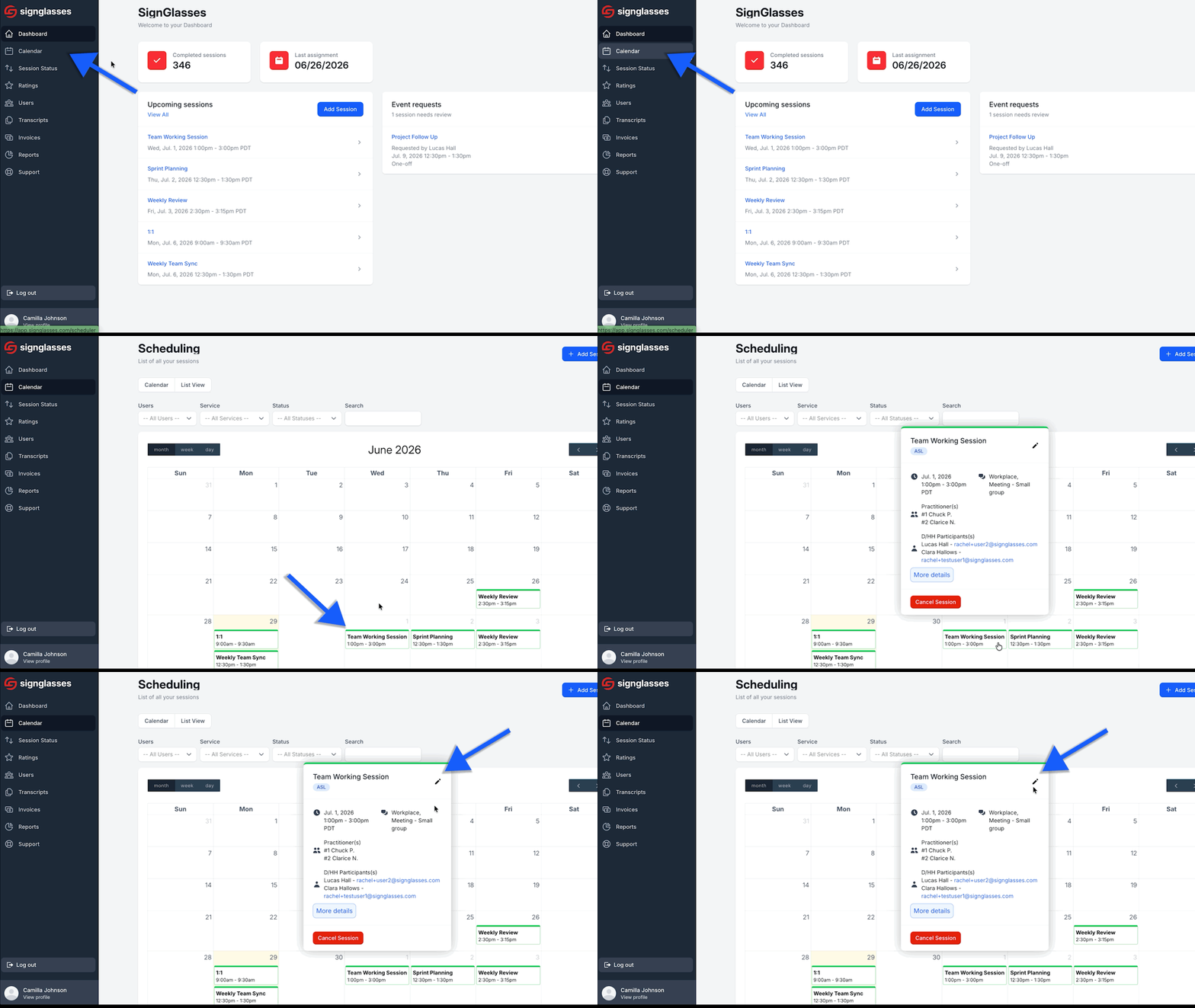
Pro Tip: You can use the search bar at the top to search by the session name, the user's name, or other keywords.
The Session Information Page
Here you can see:
SignGlasses Support contact info
Assignment details from you or another coordinator
The external platform link
The names of the practitioners in the session
The user's name
Prep materials, if uploaded by you or another coordinator
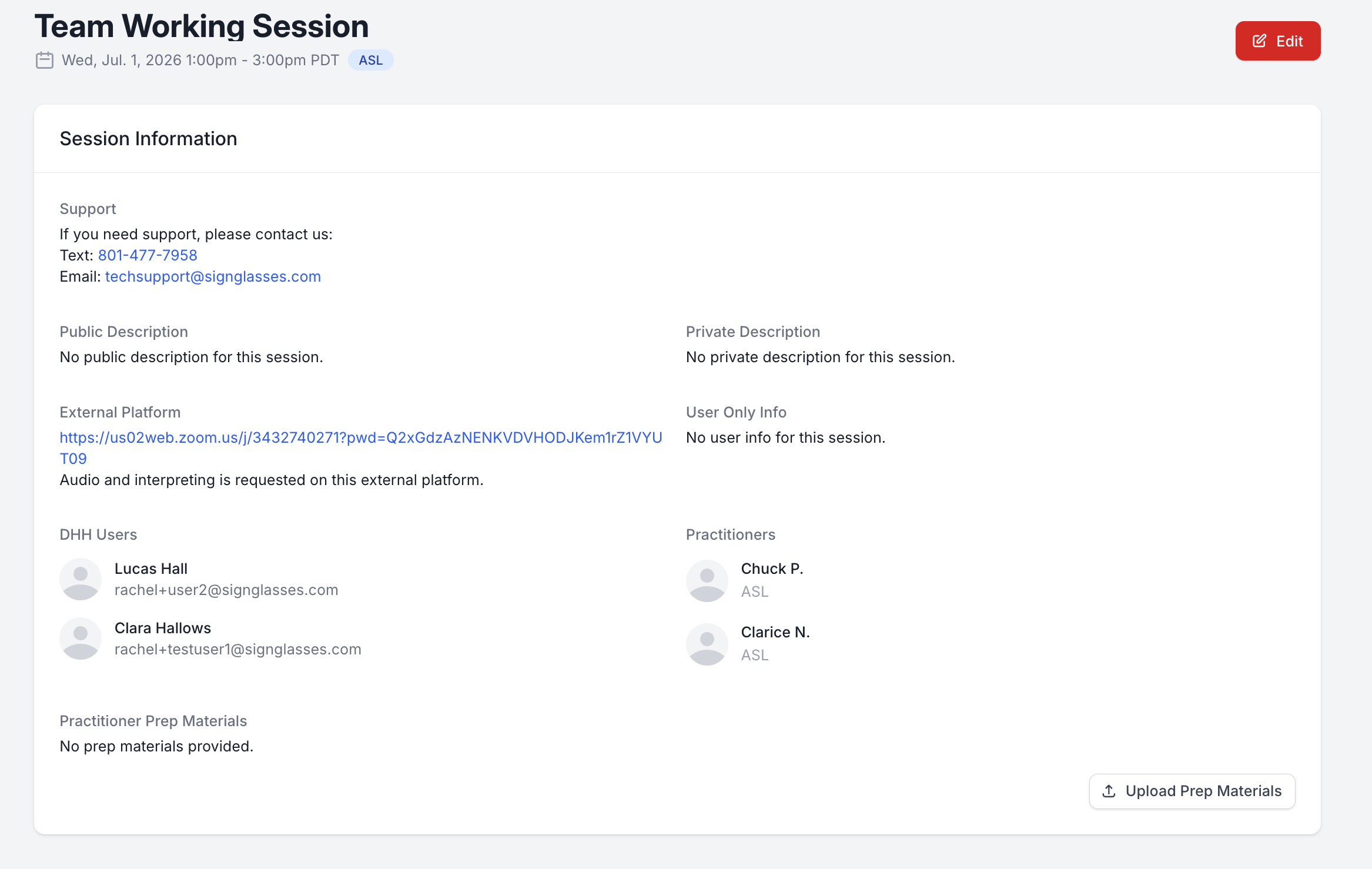
You can also click on the session straight from the Dashboard to view this!