Cancel a session
You can quickly cancel services that you requested on the SignGlasses platform.
If someone else requested this for you on the platform, they will need to be the one to cancel it.
Locate the session you want to cancel
Log into your SignGlasses account
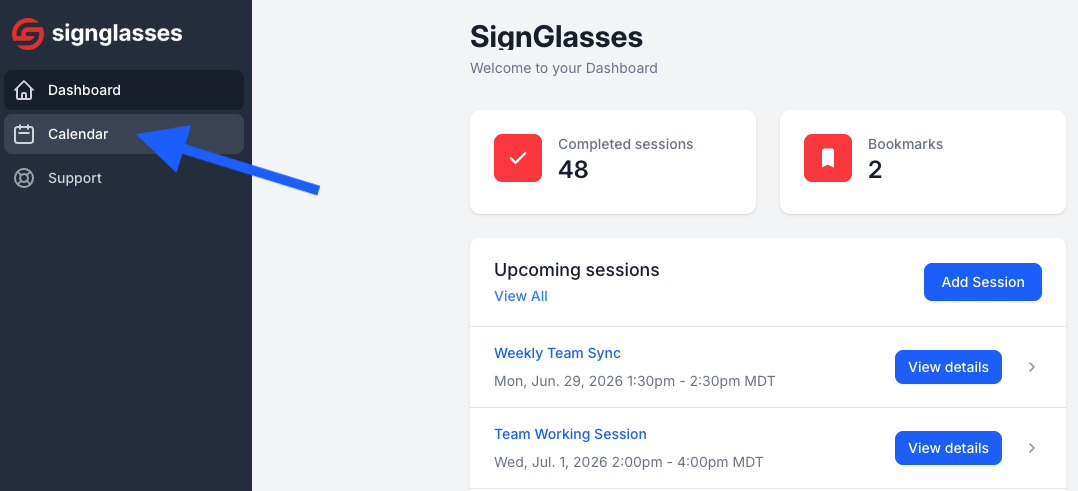
Select the Calendar page on the left-hand side of your screen
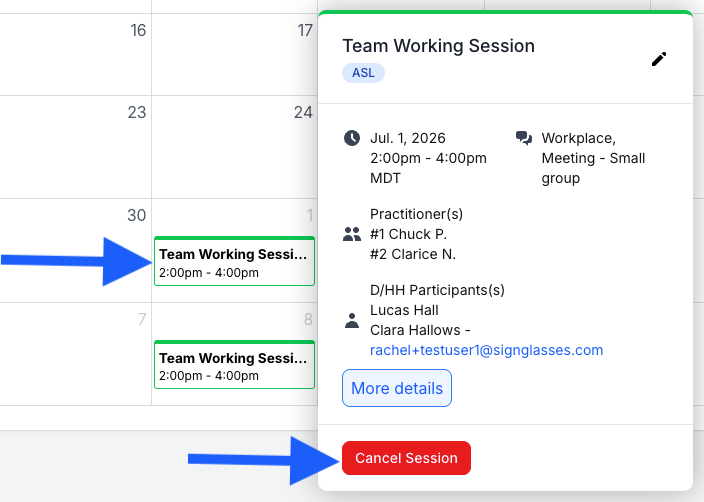
Find the session you want to cancel and click on it
Click the red button that says [Cancel Session]
Confirm the cancellation
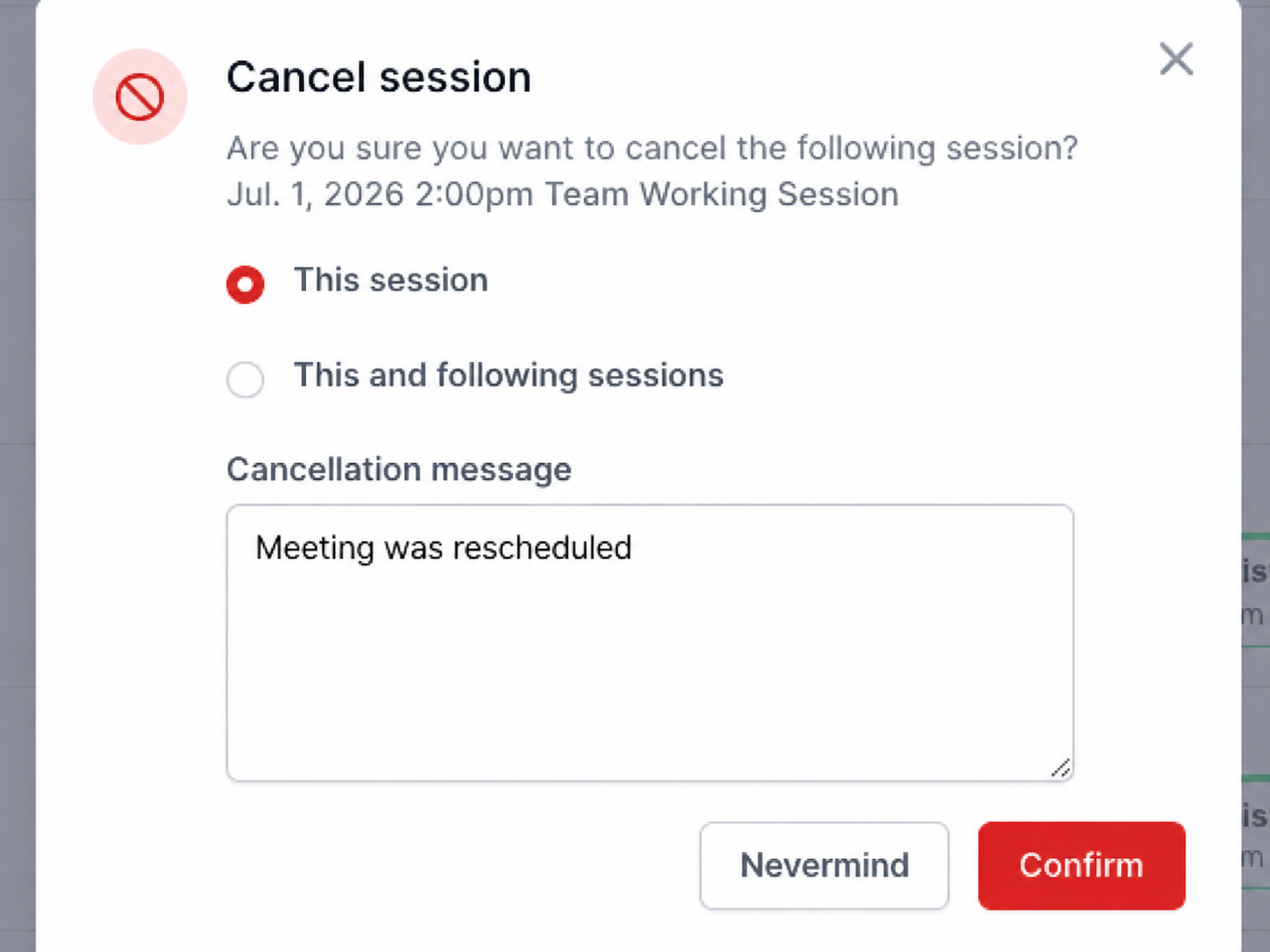
If this is a recurring session, you'll see an option to cancel it for just one day or for all the following recurrences of this session.
Select the option you want
Enter in a cancellation message
Click [Confirm]
If you decide not to cancel, select [Nevermind].
Remember the 24 hour cancellation policy
Please be aware of the 24-hour cancellation policy. Anything canceled within 24 hours of the scheduled appointment will be billable.
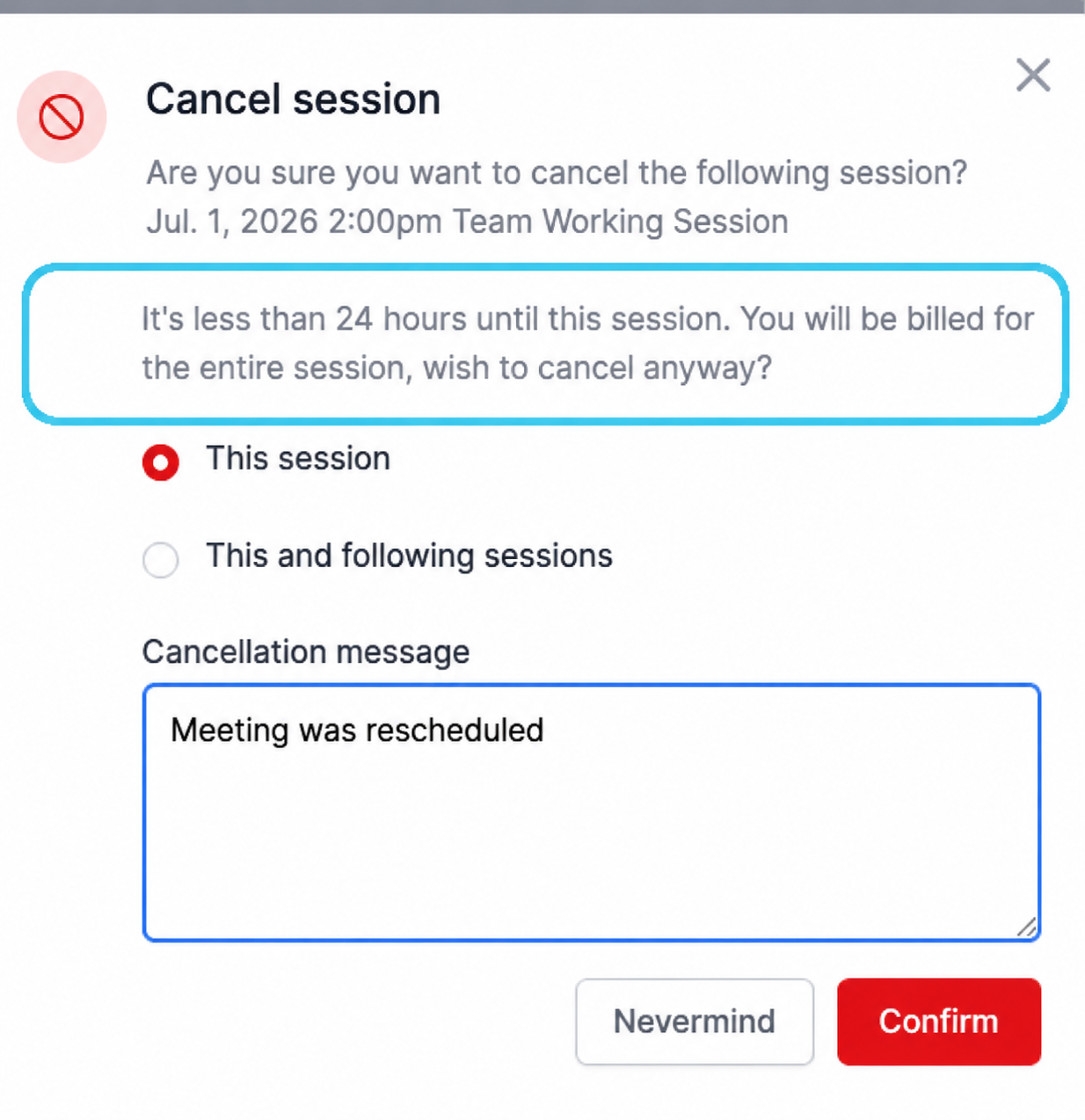
You will see a warning about this in the cancellation pop-up each time you cancel a session within that 24 hour window. It will also still appear in your calendar, but with a line through it.
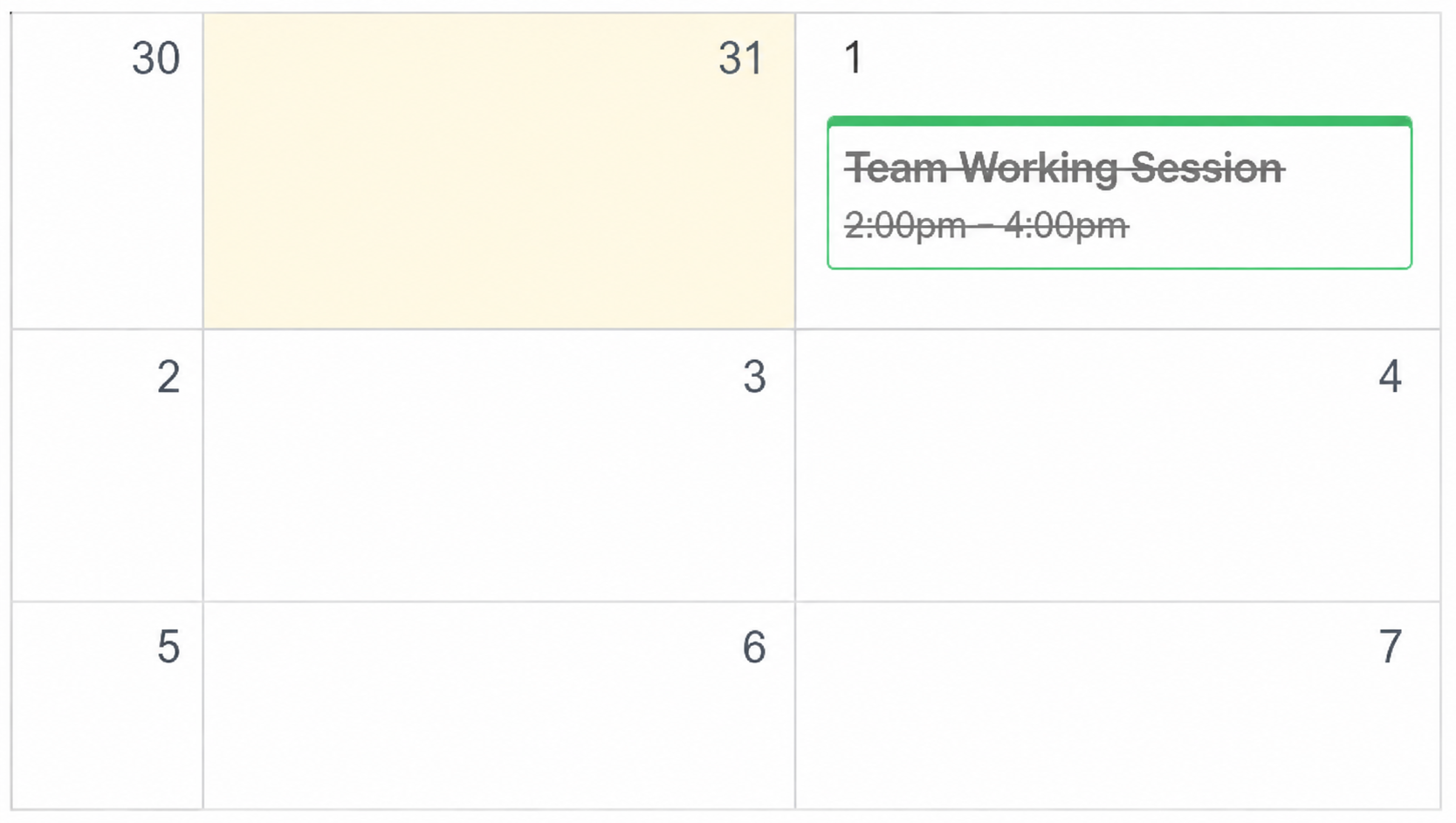
The session has been deleted.
Need any help with this? Contact us at ops@signglasses.com