Manage your SignGlasses Calendar
Edited
All SignGlasses Sessions can be viewed and accessed through your SignGlasses Calendar.
View your SignGlasses Calendar
Log in to SignGlasses
Select the Calendar page on the left-hand side of your screen
Here you can view the scheduled sessions on the calendar by either month, week, or day.
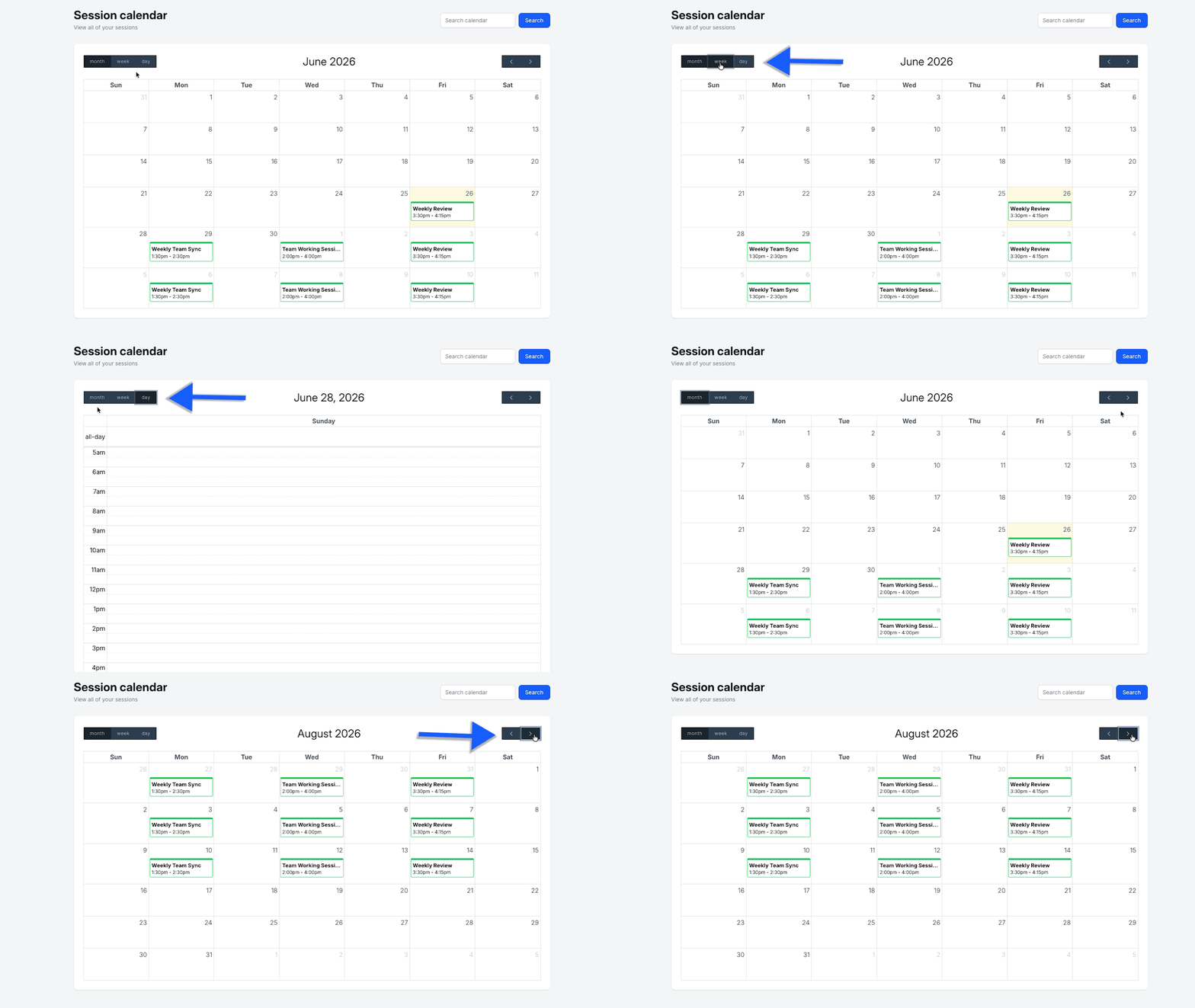
Tip: You can also sort through sessions using keywords!
Preview Session Information
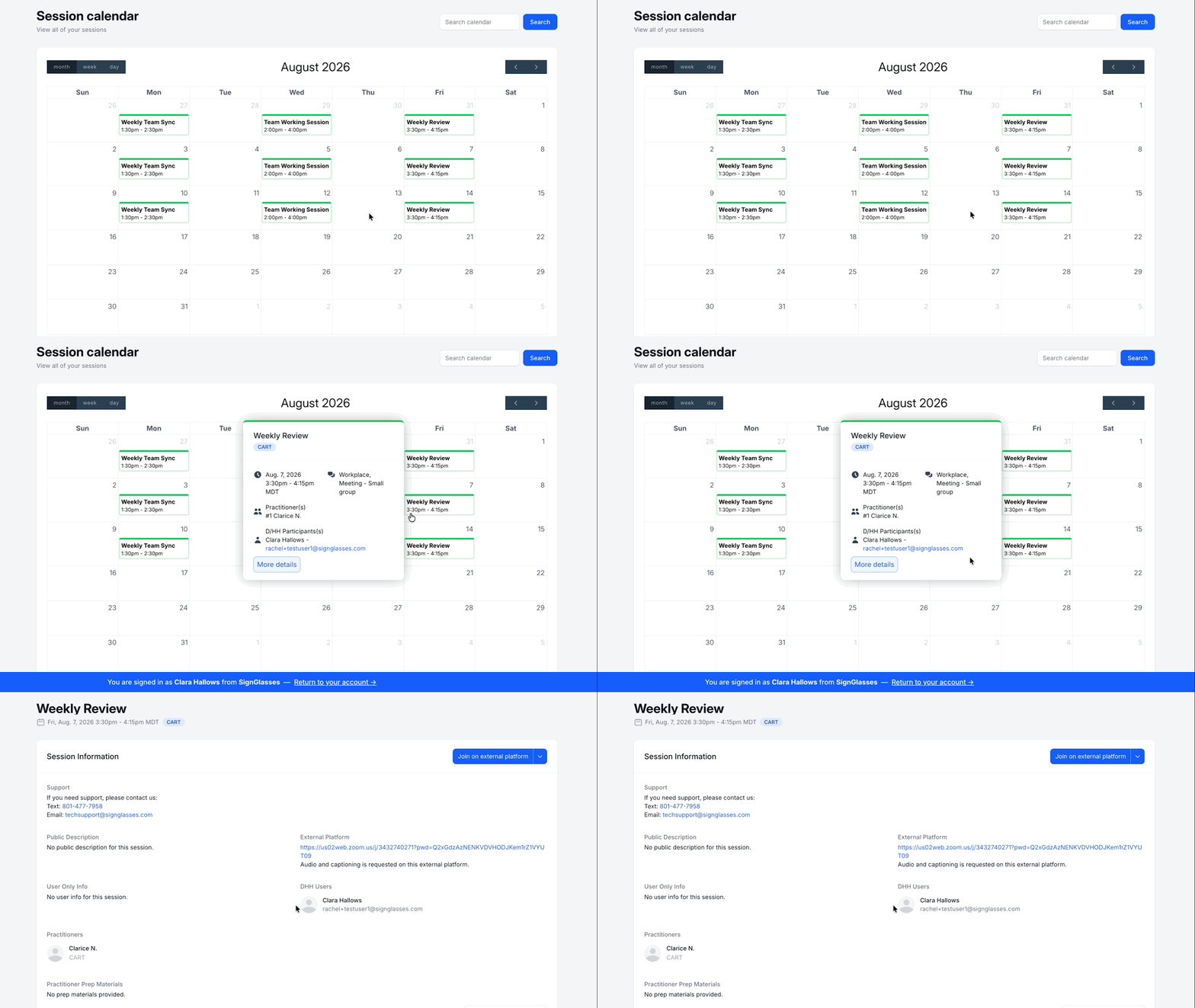
To see more information about a session from the calendar,
Click on the session
Select [More Details] or [View Details] and see the info there
Was this article helpful?
Sorry about that! Care to tell us more?