Edit & Discard Users
Administrators can edit and discard users in their Institution in SignGlasses.
Locate the User's Account
Log into your SignGlasses account
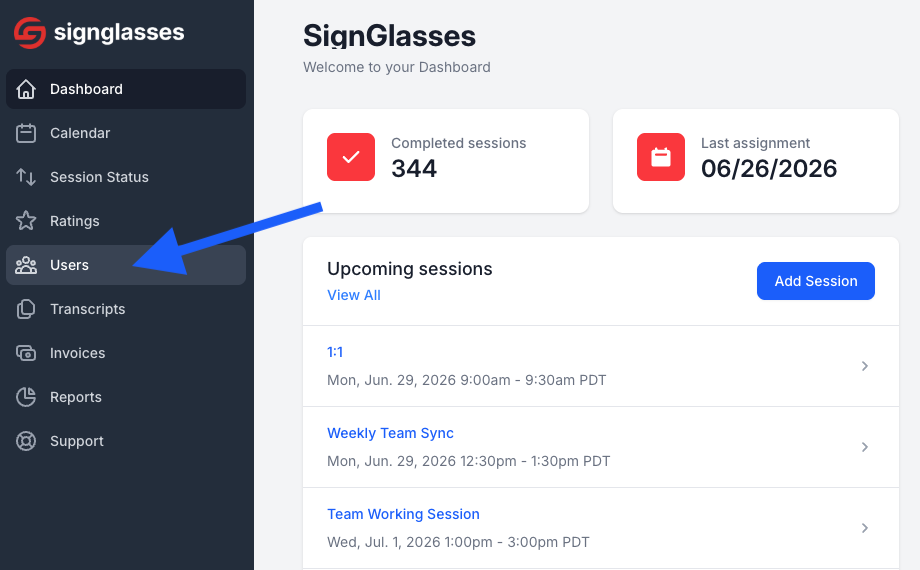
Select the Users page from the left-hand side of your screen
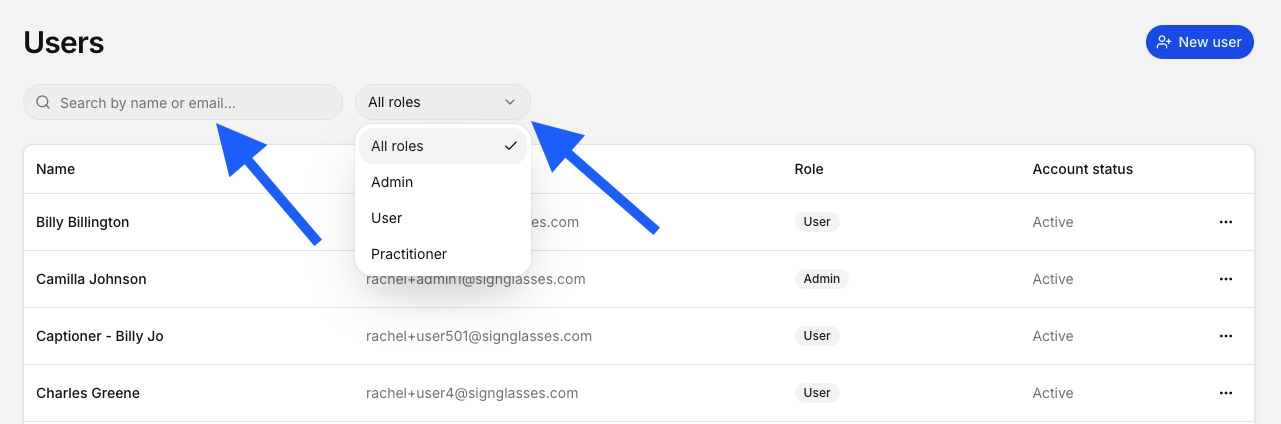
Locate the user. You can search by name/email or filter by User role
Make any needed changes to the account
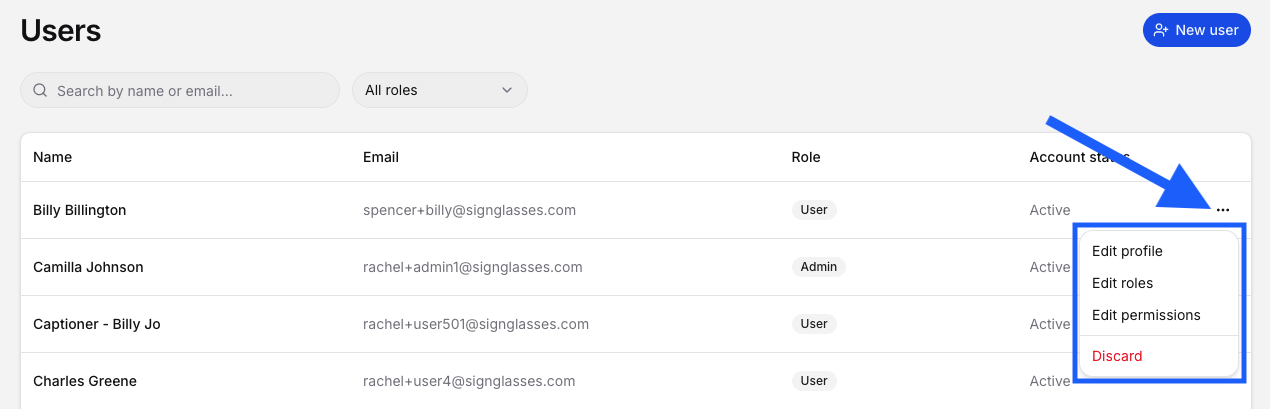
Click the 3 dots at the far right of the user's name
Choose between the following:
Edit profile
Here you change their name, email, timezone, etc
Edit roles
Here you change their role - administrator, user, practitioner
Edit permissions
This is where you will select whether a user can create their own session. For more info on this, see our guide on Allowing and Approve DHH User Requested Sessions
Discard
Selecting this will delete the user's SignGlasses account
If you need a user recovered or have any questions, reach out to our Support Team at ops@signglasses.com.